New live site scanner makes it faster to see how domains are being used.
DotDB is a popular research tool for people who want to measure the prevalence and current use of second-level domain names across multiple top-level domains (TLDs). The platform has recently introduced a practical enhancement: a live site scanner that provides up-to-date screenshots for listed domains. This feature speeds up the process of verifying whether a domain is actively used, parked, or serving content, directly from the search results page.
Historically, DotDB displayed which TLDs a given domain name has been registered under and, for paying customers, offered a simple color indicator to suggest whether a domain appeared active, parked, or inactive. That indicator was useful as a quick status check, but it required users to click into each domain and open a new browser tab to confirm real usage. That extra step made bulk checks and quick comparisons slow and tedious, especially for users evaluating many variants of a domain across different extensions.
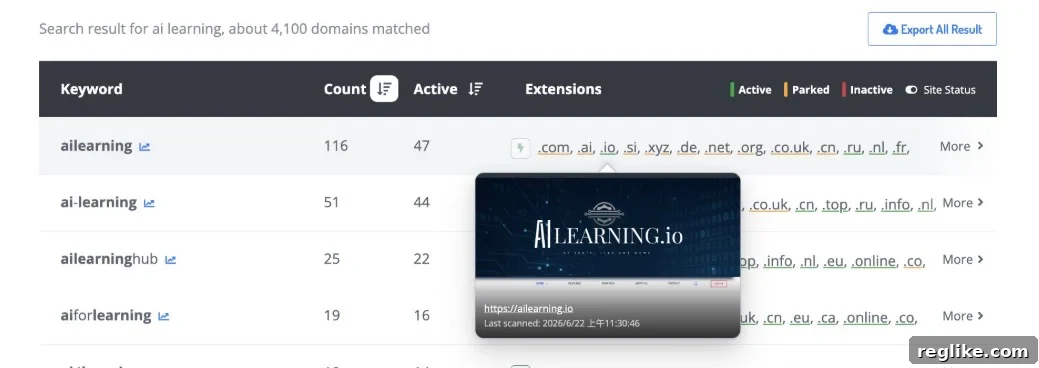
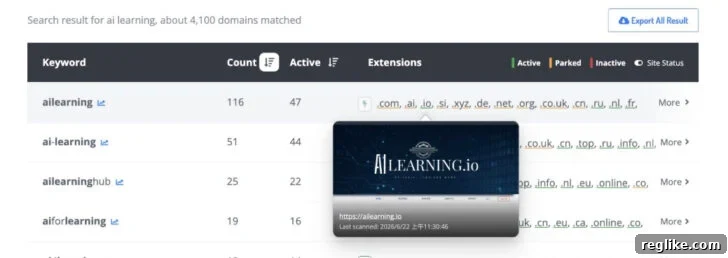
The new live site scanner solves that workflow gap by allowing users to capture live screenshots of each domain directly from the search results. With a single click, DotDB fetches a current snapshot of how a domain resolves, and those screenshots become available for quick preview. Users can hover over or click a domain entry to view the screenshot and instantly determine whether it serves a functioning website, shows a parking page, or returns an error. This avoids repeatedly opening new windows and makes triage much faster when examining multiple TLDs.
For domain investors, brand managers, and researchers, the screenshot-based approach reduces false positives. Registrations that previously appeared as “in use” due to stale data or misleading DNS records are easier to verify visually, so users can make more informed decisions. The live preview feature also helps with identifying redirected pages, temporary landing pages, and other nuances that a color-coded status can’t reliably convey.
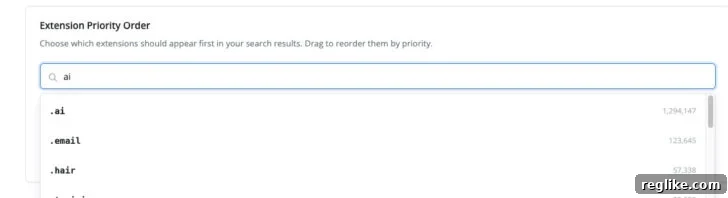
In addition to the live screenshots, DotDB has improved how search results are ordered. By default, the platform sorts TLD results based on the number of registrations for each extension, which highlights the most commonly used TLDs for a given second-level name. Now, users can customize that ordering to prioritize the TLDs they care about most. For example, if you are focused on .ai or another specialty extension, you can move it to the top of the list so it appears first in search results. This change gives users greater control over how results are presented and lets them tailor the interface to their specific domain research priorities.
The custom ordering option is available in Account Settings > Search Preference, where you can select and arrange the TLDs that matter most to you. Once adjusted, searches will reflect your preferred sequence, making it faster to spot the extensions you monitor regularly. Combined with the live site screenshots, the updated ordering makes DotDB a more efficient and user-friendly domain research tool.
Overall, the live site scanner and the adjustable TLD ordering are practical updates that streamline domain discovery and verification. They reduce the friction of manual checks and let users validate domain usage more reliably right from the results page. Whether you’re evaluating a naming strategy, monitoring brand protection, or scouting domain investments, these features speed up routine tasks and improve the accuracy of your assessments.