List for Sale workflow for parking domains — GoDaddy improves
Improvement eliminates the need to change nameservers.
On this stretch’s podcast, I discussed how I’m listing domains for sale. For domains registered at GoDaddy, I usually list them on Afternic using the List for Sale tool rather than logging into Afternic.
This has been a two-step process: add domains using List for Sale and then point the domains to Afternic nameservers.
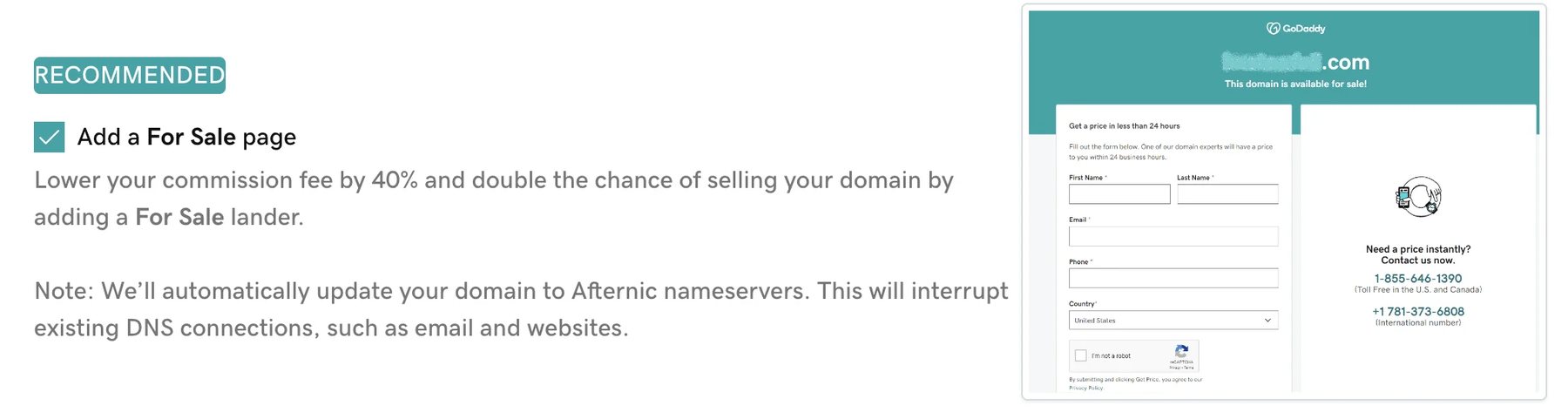
GoDaddy just rolled out a feature that eliminates the second step. When you add domains for sale, you can check a box that will automatically point the domains to Afternic nameservers:
Previously, GoDaddy had an option for pointing domains to a for-sale lander, but this lander did not qualify for the 15% commission.
Note that List for Sale points domains to the default price request lander. You’ll need to log in to Afternic if you’d like to change to a Buy Now or PPC parking lander.