

Rackspace Email vs. Google Workspace: A Comprehensive Guide to Choosing Your Business Email Provider
In the evolving digital landscape, selecting the right email hosting solution for your business or personal projects is more critical than ever. While Google Workspace (formerly Google Apps) stands as a prominent and often preferred choice, a deeper look reveals that other providers, such as Rackspace Email, can offer superior value and functionality for specific user needs. This article delves into the nuances of modern email hosting, comparing these two popular options and highlighting why Rackspace Email might be the unexpected best fit for many.
The Shifting Landscape of Web Hosting and Email Services
A notable trend among web hosting providers, particularly those specializing in optimized platforms like WordPress hosting, is the increasing separation of email services from core website hosting. This strategic unbundling allows hosts to focus their resources on delivering peak website performance, security, and scalability, leaving email management to dedicated email providers.
For instance, industry giants like WPEngine, a leading managed WordPress host, do not offer email services as part of their hosting packages. This means that users are entirely responsible for sourcing and integrating an external email solution for their domain. This shift places the onus on individuals and businesses to carefully evaluate their options and choose an email provider that aligns perfectly with their operational requirements and budget.
The journey to finding an optimal email solution can sometimes lead to surprising discoveries. What might initially seem like a niche or more expensive option can, upon closer inspection, reveal itself as an exceptionally cost-effective and robust alternative, as was my recent experience.
Google Workspace: The Gold Standard and Its Limitations
For many years, my go-to recommendation for anyone requiring a professional email address has been Google Workspace. It has earned its reputation as the “gold standard” for several compelling reasons:
- Ease of Use and Accessibility: Its intuitive interface is familiar to billions of Gmail users, making onboarding seamless for new team members. Accessing email, calendars, and documents from any device is straightforward.
- Robust Spam and Security Protection: Google’s industry-leading spam filters and advanced security protocols provide excellent protection against phishing, malware, and unwanted emails, ensuring a clean and secure inbox.
- Integrated Ecosystem: Beyond email, Google Workspace offers a comprehensive suite of productivity tools, including Google Calendar, Drive (cloud storage), Docs, Sheets, and Meet, fostering collaborative work environments.
- Reliability: Backed by Google’s global infrastructure, uptime and deliverability are consistently high.
At a standard price point of $6 per user per month (as of late 2023, subject to change), Google Workspace is often perceived as the perfect option for individuals, freelancers, and small businesses seeking an all-encompassing productivity suite. Its comprehensive features and seamless integration make it an incredibly attractive package.
When Google Workspace Might Not Be the Ideal Fit
Despite its many advantages, there are specific scenarios where Google Workspace’s bundled approach and pricing structure might prove to be an overkill or financially inefficient. My recent challenge involved setting up multiple email addresses across several distinct domain names. In this particular situation, several factors made Google Workspace less than ideal:
- Administrative Complexity for Multiple Domains: While Google Workspace handles multiple domains, managing separate accounts for each domain, especially if they belong to different projects or clients, can introduce unnecessary administrative overhead. Each domain might require its own Workspace subscription if they are truly independent entities, leading to fragmented billing and management.
- Cost Inefficiency for “Simple” Email Needs: If the primary requirement is merely a professional email address without the full suite of productivity tools (calendars, cloud storage, video conferencing), paying $6 per user per month for each account can quickly become expensive, especially when you need a handful of addresses.
- Integration with Existing Gmail Accounts: My preference was to consolidate all new email accounts into my existing primary Gmail inbox. While Google Workspace allows you to pull emails into another Gmail account via POP3 and send through SMTP, setting this up for numerous separate Workspace accounts can be convoluted. The goal was simplicity and centralized management, without the need for additional, separate Google accounts to manage.
For these reasons, I embarked on a search for a more streamlined, cost-effective, and highly focused email solution that could meet my precise requirements without unnecessary complexity or redundant features.
Defining the Core Requirements for a Dedicated Email Solution
My search was guided by a clear set of non-negotiable requirements, prioritizing efficiency and integration with my existing workflow:
- POP3 and SMTP Functionality: These protocols are fundamental for integrating external email accounts into a universal inbox like Gmail.
- POP3 (Post Office Protocol version 3): Allows an email client (in this case, Gmail) to download and store emails from a remote server. This is crucial for pulling all incoming mail from new domain-specific addresses directly into my primary Gmail inbox.
- SMTP (Simple Mail Transfer Protocol): Enables sending emails from a client through an email server. This is essential for being able to send emails using my new domain-specific addresses directly from my primary Gmail interface, providing a professional outward appearance while maintaining centralized management internally.
The ability to easily configure both POP3 for incoming mail and SMTP for outgoing mail was paramount for a seamless integration experience.
- Option to Disable Spam Protection at the Provider Level: Many email hosting services offer their own spam filtering. However, when consolidating emails into Gmail, it’s often more efficient and accurate to let Gmail’s superior spam detection capabilities handle this task. Duplicative spam protection from the email host can sometimes lead to false positives or unnecessary delays, so the ability to disable it and rely solely on Gmail’s filtering was a significant advantage.
- Trusted and Reliable Provider: Email is a mission-critical communication tool. Intermittent service, unreliable delivery, or security vulnerabilities are unacceptable. Therefore, choosing a provider with a proven track record of uptime, security, and customer support was essential.
Exploring Alternatives: My Experience with GoDaddy Email
My initial thought was to consider GoDaddy, a provider from whom I already receive email services for DomainNameWire.com. My experience with GoDaddy’s email has generally been fair, offering a decent level of reliability for basic needs. However, there have been periods of concern, notably last year when I encountered deliverability problems stemming from their edge network spam blocking, which sometimes inadvertently flagged legitimate emails.
Upon investigating their current offerings, it became apparent that GoDaddy’s email strategy has evolved. Their traditional “WorkSpace Email” product is no longer prominently promoted on their main website, and obtaining additional email addresses often requires a direct phone call, with accounts typically sold in batches of five. This process felt less streamlined than desired for my specific multi-domain needs.
GoDaddy’s current professional email solutions include:
- Professional Email: Starting around $4.99 per month per user, this offers basic email functionality with a custom domain.
- Microsoft 365 Email: Bundled with Microsoft Office Online, starting at a higher price point of $9.99 per month per user. While it offers a powerful suite of productivity tools similar to Google Workspace, its cost and features were beyond my simple email requirements.
While GoDaddy serves as a viable option for many, the pricing structure, the need to call for bulk purchases, and past deliverability quirks for my specific use case led me to continue my search for a provider that offered a more direct, flexible, and cost-effective solution tailored to my requirements.
Discovering the Unexpected Gem: Rackspace Email Hosting
It was during my continued search that I stumbled upon a surprisingly robust and affordable option: Rackspace Email Hosting. My preconceived notion of Rackspace was that it was a high-end, premium, and consequently, more expensive provider primarily catering to large enterprises and complex cloud infrastructure. I certainly wouldn’t have thought to look there for a simple, budget-friendly email solution.
This perception, however, proved to be inaccurate when it came to their email hosting services. Rackspace offers a dedicated email service that stands out significantly in terms of value and performance.
Rackspace Email: Unbeatable Value and Features
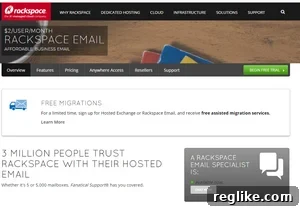
Rackspace provides a highly competitive email service priced at just $2 per month per account, with a minimum requirement of five accounts. This pricing structure immediately caught my attention, making it the most economical deal I had encountered, especially from a provider of Rackspace’s caliber and reputation.
Beyond the attractive price, Rackspace Email includes features that align perfectly with the needs of individuals and small businesses requiring professional, reliable email without the overhead of a full productivity suite:
- Ample Storage: Each mailbox typically comes with generous storage, ensuring you don’t run out of space for your important communications.
- Webmail Access: A user-friendly webmail interface allows access to your emails from any web browser, ensuring flexibility when you’re away from your primary email client.
- Robust Spam and Virus Protection: While I opted to disable this feature for Gmail integration, it’s a valuable inclusion for those who wish to use Rackspace as their primary email client.
- Calendar and Contacts: Integrated calendar and contact management tools can be useful for organizing your schedule and network.
- Ad-Free Experience: Professional email should be free of distractions, and Rackspace delivers an entirely ad-free environment.
- Custom Domain Integration: Seamlessly integrate your custom domain name to present a professional image with every email sent.
The combination of exceptional pricing and a feature set that covers all the essentials without unnecessary bloat makes Rackspace a compelling choice for professional email hosting.
My Seamless Setup Experience with Rackspace Email
One of the most impressive aspects of Rackspace Email was the speed and simplicity of the setup process. Within approximately 15 minutes, I was able to:
- Order the Service: The ordering process on the Rackspace website was intuitive and straightforward. I selected the desired number of accounts, meeting the five-account minimum to unlock the $2/month pricing.
- Add MX Records at My Registrar: After signing up, Rackspace provided clear instructions for updating the MX (Mail Exchange) records at my domain registrar. MX records are critical DNS entries that tell other mail servers where to send emails for your domain. This step typically involves logging into your domain registrar’s control panel and pointing your domain’s MX records to Rackspace’s mail servers. This process was clearly documented and easy to follow.
- Set Up Email Accounts: Rackspace’s account setup tool is remarkably user-friendly. I quickly created four new email accounts, assigning them to their respective domain names. The control panel allowed for easy management of passwords and other account settings.
Once these steps were completed, I was able to configure my primary Gmail account to integrate these new Rackspace-hosted email addresses. Using the POP3 settings provided by Rackspace, I set up Gmail to fetch all incoming mail from these accounts. Similarly, by configuring the SMTP settings, I enabled Gmail to send emails using these new domain-specific addresses. The result was a perfectly integrated system: all new emails now flow directly into my centralized Gmail inbox, and I can seamlessly send replies or new messages from any of these professional addresses, all within the familiar Gmail interface.
The Assurance of “Fanatical Support”
While the Rackspace account setup tool was so efficient that I didn’t need to contact support during the initial configuration, it’s incredibly reassuring to know that Rackspace is renowned for its “Fanatical Support.” This dedication to customer service is a significant differentiator, especially for a critical service like email hosting.
Should any issues arise, Rackspace provides comprehensive 24×7 support via phone, live chat, and email. This level of accessibility and expertise ensures that any technical challenges, from deliverability issues to configuration problems, can be promptly addressed by experienced professionals. For businesses where email downtime can directly impact operations and revenue, such robust support is invaluable and offers immense peace of mind.
Who Should Consider Rackspace Email?
Based on my experience, Rackspace Email is an excellent choice for a wide array of users and scenarios:
- Individuals and Businesses with Multiple Domains: If you manage several websites or projects, each requiring its own professional email address, Rackspace’s cost-effective model and easy setup for multiple domains make it a standout choice.
- Users Prioritizing Cost-Efficiency: For those who need professional email but don’t require the extensive suite of tools offered by Google Workspace or Microsoft 365, Rackspace provides a focused solution at a significantly lower price point.
- Agencies and Freelancers: Managing client email accounts can be streamlined and made more affordable with Rackspace, allowing agencies to offer professional email solutions without significant overhead.
- Anyone Seeking Gmail Integration: If your workflow revolves around a central Gmail inbox and you want to consolidate multiple professional email addresses there, Rackspace’s reliable POP3/SMTP support is ideal.
- Those Valuing Reliability and Support: With its reputation for robust infrastructure and “Fanatical Support,” Rackspace offers a dependable email service that minimizes the risk of disruptions.
Conclusion: An Unexpected Champion for Professional Email
The search for an optimal email hosting solution often leads to familiar names like Google Workspace or GoDaddy. However, as the demands of modern web hosting evolve and specific user needs become more refined, exploring beyond the most common choices can yield surprising and superior results.
My journey demonstrated that while Google Workspace remains an excellent, comprehensive option for many, it isn’t always the most efficient or cost-effective choice for every scenario. For users like myself, who require reliable professional email across multiple domains, simple integration with an existing Gmail account, and a strong emphasis on value, Rackspace Email Hosting emerged as an unexpected champion.
Offering a compelling balance of affordability ($2/month per account with a minimum of five), robust features, effortless setup, and industry-leading “Fanatical Support,” Rackspace provides a professional email solution that is both powerful and practical. If you find yourself with similar requirements – needing high-quality, professional email without the bundled extras, especially across several domains – I wholeheartedly recommend considering Rackspace Email. It’s a testament to the fact that sometimes, the best solution comes from the most unexpected places.