Automatically verify your Dan.com listings — How to
Add a third nameserver to make sure your domains are approved.
I’ve added a couple of hundred domains to Dan.com in recent months. One frustrating thing is that some of the domains get rejected since someone else previously added the domains to their account ahead of I purchased the domains. I end up having to email Dan.com support to get the domains added.
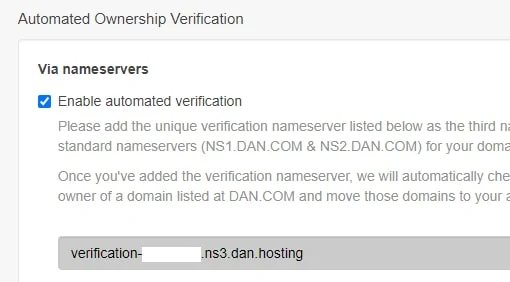
It turns out there’s an easier way. The service will automatically verify your ownership if you add a third nameserver when you point your domain to Dan.com’s servers.
Just go to Settings > Ownership and turn on account verification. You’ll see this:
Then add the unique nameserver as your third nameserver like this:
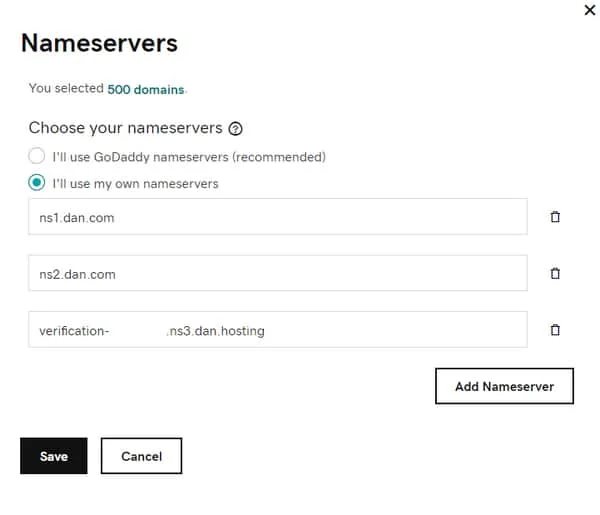
Once you add this third nameserver, Dan.com will no longer reject your listings if they are in someone else’s account.