Manage your feeds on Domaining.com — How to
Customize Domaining.com for a better experience.
Ever since Google took away the best RSS reader, I’ve started to rely more on Domaining.com to see what other bloggers are writing regarding.
And, although not everyone is aware of this, you can customize Domaining.com kind of like an RSS reader so that it only shows blogs that interest you.
I bring this up now since I’ve seen some complaints regarding the “Reporter” posts in Domaining.com. These are sometimes not related to domains. If you don’t like them, you can remove them.
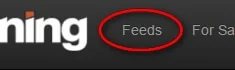
You’ll need to log in to manage your feeds. Once you do that, click on “Feeds” at the top:
You can then uncheck the box next to feeds you don’t want to display:

It even shows how many people have blocked certain feeds. Of course, you wouldn’t dare block Reglike, would you? I need to hunt down the 17 people who have 🙂