
ICANN Phishing Scam Alert: Don’t Fall Victim to Impersonation
In today’s digital landscape, cyber threats are becoming increasingly sophisticated, and even organizations like the Internet Corporation for Assigned Names and Numbers (ICANN) are not immune to impersonation attacks. ICANN, the organization responsible for coordinating the maintenance and procedures of several databases related to the namespaces and numerical spaces of the Internet, has issued an alert regarding an ongoing phishing scam where malicious actors are impersonating the organization to target contracted parties.
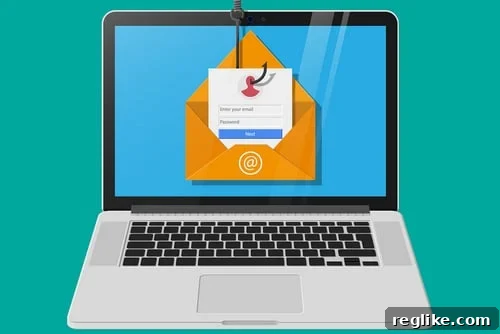
An example of a phishing email. Be vigilant and double-check the sender’s address before clicking any links.
The hacking of individual domain name registrar accounts might be considered an “old-school” tactic by some cybercriminals. Modern attackers are setting their sights higher, attempting to gain unauthorized access to entire registrars or registries. This makes the current ICANN impersonation phishing scam a particularly concerning threat.
Understanding the ICANN Phishing Scam
ICANN has officially announced that perpetrators are actively running a phishing scam by impersonating ICANN personnel. According to the official alert, the fraudulent emails are, at least initially, originating from the email address sales(at)icann.org. These emails are specifically targeting contracted parties, indicating a focused and strategic approach by the attackers.
It’s crucial to exercise extreme caution when receiving emails from this address or any address claiming to represent ICANN. Always verify the authenticity of the email before clicking on any links or providing any personal or confidential information.
The Risk of Spoofed Email Addresses
ICANN recently communicated with some contracted parties using the email address accounting(at)erp.icann.org. ICANN has confirmed that this email address is legitimate. However, the fact that attackers are successfully spoofing the sales(at)icann.org address raises serious concerns. If cybercriminals can successfully impersonate one ICANN email address, they can likely spoof other addresses, including variations or typographical errors of legitimate addresses. This underscores the importance of treating all unsolicited emails with skepticism, even if they appear to be from a trusted source.
DMARC Records and Email Security
DMARC (Domain-based Message Authentication, Reporting & Conformance) is an email authentication protocol designed to give email domain owners the ability to protect their domain from unauthorized use, commonly known as email spoofing. While ICANN.org has a DMARC record, it appears they do not have a published DMARC quarantine or reject policy in place. A DMARC policy instructs receiving mail servers on how to handle emails that fail authentication checks. A quarantine policy instructs the receiving server to place the email in the recipient’s spam folder, while a reject policy instructs the server to completely reject the email.
The absence of a strict DMARC policy may make ICANN more vulnerable to email spoofing attacks. Implementing a quarantine or reject policy would significantly enhance the organization’s ability to prevent malicious emails from reaching their intended targets.
Protecting Yourself from Phishing Attacks
Given the increasing sophistication of phishing attacks, it’s essential to adopt proactive security measures to protect yourself and your organization. Here are some practical steps you can take:
- Verify the Sender’s Address: Always carefully examine the sender’s email address. Look for subtle variations, typos, or inconsistencies that may indicate a phishing attempt.
- Be Wary of Suspicious Links: Avoid clicking on links in emails from unknown or untrusted sources. If you need to visit a website mentioned in an email, manually type the address into your browser instead of clicking on the link.
- Never Share Personal Information: Be extremely cautious about sharing personal or confidential information via email. Legitimate organizations like ICANN will never ask you to provide sensitive information through unsolicited emails.
- Enable Two-Factor Authentication: Whenever possible, enable two-factor authentication (2FA) for your online accounts. This adds an extra layer of security by requiring a second verification step, such as a code sent to your phone, in addition to your password.
- Keep Your Software Up to Date: Regularly update your operating system, web browser, and other software to patch security vulnerabilities that attackers could exploit.
- Use a Reputable Antivirus Program: Install and maintain a reputable antivirus program with real-time scanning capabilities to detect and block malicious software.
- Educate Yourself and Your Team: Stay informed about the latest phishing scams and other cyber threats. Educate yourself and your team members on how to identify and avoid these attacks.
- Report Suspicious Emails: If you receive a suspicious email that you believe is a phishing attempt, report it to the relevant authorities, such as the Anti-Phishing Working Group (APWG).
The Broader Implications of ICANN Impersonation
The ICANN impersonation phishing scam highlights the vulnerability of even the most prominent organizations to cyberattacks. The success of such an attack could have far-reaching consequences, potentially compromising the security and stability of the Internet infrastructure. It’s crucial that organizations like ICANN take proactive measures to strengthen their email security and protect their contracted parties from falling victim to phishing scams.
Staying Vigilant in the Face of Evolving Threats
The digital landscape is constantly evolving, and cybercriminals are continually developing new and sophisticated attack methods. To stay ahead of these threats, it’s essential to remain vigilant and adopt a proactive security posture. By following the tips outlined above and staying informed about the latest security threats, you can significantly reduce your risk of becoming a victim of phishing scams and other cyberattacks.
The ICANN phishing scam serves as a stark reminder that no organization or individual is immune to cyber threats. By working together and adopting a comprehensive approach to security, we can create a safer and more secure online environment for everyone.
Conclusion
The ongoing phishing scam impersonating ICANN is a serious threat that requires immediate attention and proactive measures. By understanding the nature of the attack, recognizing the risks involved, and implementing effective security practices, you can protect yourself and your organization from falling victim to this and other cyber threats. Stay vigilant, stay informed, and stay safe online.