
WordPress Major Updates: Why Users Deserve More Control
Maintaining an up-to-date WordPress website is crucial for security and performance. Managed WordPress hosting providers play a vital role in ensuring their customers’ sites are running the latest versions of the software. Studies consistently show that outdated WordPress installations are significantly more vulnerable to hacking attempts. In fact, a GoDaddy analysis revealed that over half of hacked WordPress sites were operating on outdated versions. This highlights the inherent risks associated with neglecting WordPress updates and emphasizes the importance of proactive website maintenance.
While automatic updates are generally beneficial, particularly for minor security and maintenance releases (e.g., transitioning from version 4.9.4 to 4.9.5), major version upgrades present a different set of challenges. These significant updates often introduce substantial changes to the WordPress core, potentially impacting the compatibility of themes and plugins. Therefore, the decision to implement a major update should not be taken lightly and requires careful consideration of the potential consequences.
The Risks of Automatic Major Updates
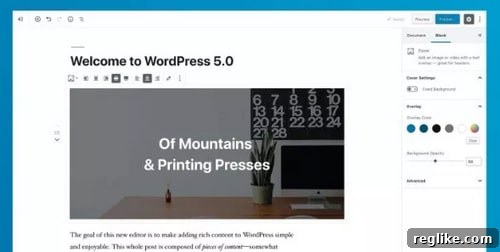
The recent release of WordPress 5.0 serves as a prime example of the potential pitfalls associated with automatic major updates. In my personal experience, several websites hosted on GoDaddy’s Managed WordPress platform were swiftly upgraded to version 5.0. Unfortunately, this automatic upgrade resulted in one of the sites malfunctioning due to theme incompatibility. While I was able to resolve the issue myself, not all users possess the technical expertise to troubleshoot and fix such problems.
Theme and plugin compatibility issues are common occurrences following major WordPress updates. Developers often need time to update their products to ensure seamless integration with the latest WordPress version. Consequently, users who rely on specific themes or plugins may encounter unexpected errors or broken functionality after an automatic upgrade. This can lead to significant disruptions in website operations and negatively impact the user experience.
In one specific instance, the automatic upgrade to WordPress 5.0 caused an RSS feed containing podcasts to become unavailable for several hours. This outage directly affected the business, highlighting the potential for major updates to have tangible and detrimental consequences. Such incidents underscore the need for a more cautious and user-centric approach to WordPress updates.
The Need for User Control and Communication
To mitigate the risks associated with major WordPress updates, web hosting providers should prioritize user control and transparent communication. At a minimum, customers should receive advance notice before a major upgrade is implemented. This notification should clearly outline the planned upgrade, its potential impact, and the steps users can take to prepare their websites.
Ideally, web hosts should provide customers with the option to delay the upgrade for a specified period. This allows users to thoroughly test their themes and plugins for compatibility with the new WordPress version before committing to the update. Furthermore, it provides an opportunity to address any potential issues proactively, minimizing the risk of website disruptions.
Encouraging users to perform manual upgrades during this period is also a valuable strategy. By manually initiating the upgrade process, users can closely monitor the installation and troubleshoot any problems that may arise. This hands-on approach empowers users to take ownership of their websites and fosters a greater understanding of the update process.
Benefits of a User-Centric Approach
Implementing a user-centric approach to WordPress updates offers numerous benefits for both users and web hosting providers. By empowering users with greater control and providing clear communication, web hosts can foster stronger relationships with their customers and build trust. This, in turn, can lead to increased customer satisfaction and loyalty.
Furthermore, a more cautious approach to major updates can help prevent widespread website outages and compatibility issues. By allowing users to test and prepare their websites, web hosts can minimize the risk of negative consequences and ensure a smoother transition to the latest WordPress version. This ultimately contributes to a more stable and reliable hosting environment.
In addition to the immediate benefits, a user-centric approach to WordPress updates can also promote a more collaborative and informed community. By encouraging users to actively participate in the update process, web hosts can foster a greater understanding of the challenges and opportunities associated with WordPress maintenance. This can lead to valuable feedback and insights that can help improve the update process for everyone.
Best Practices for Managing WordPress Updates
Here are some best practices for managing WordPress updates, both for web hosting providers and individual website owners:
- Communicate clearly and proactively: Inform users about upcoming major updates well in advance, outlining the potential impact and providing guidance on how to prepare.
- Offer the option to delay upgrades: Allow users to postpone major updates for a reasonable period to test compatibility and address potential issues.
- Encourage manual upgrades: Suggest that users perform manual upgrades during the delay period to monitor the installation process and troubleshoot any problems.
- Provide comprehensive documentation: Offer detailed instructions on how to perform manual upgrades, test themes and plugins, and troubleshoot common issues.
- Offer staging environments: Allow users to create staging environments to test major updates without affecting their live websites.
- Regular Backups: Before any update, create a full backup of your website. This allows you to quickly restore your site if something goes wrong.
- Test Plugins and Themes: Thoroughly test all plugins and themes after the update to ensure they are functioning correctly. Look for any errors or compatibility issues.
- Monitor Your Site: After the update, monitor your site closely for any unexpected behavior. Check your site’s analytics and error logs for any issues.
Conclusion: Empowering Users for a Better WordPress Experience
In conclusion, while automatic WordPress updates are essential for maintaining security and performance, major version upgrades require a more nuanced and user-centric approach. Web hosting providers should prioritize user control and transparent communication, empowering users to make informed decisions about when and how to update their websites. By implementing these best practices, we can create a better WordPress experience for everyone, ensuring that updates are a source of improvement rather than disruption.
By embracing a philosophy of user empowerment and proactive communication, the WordPress community can foster a more collaborative and resilient ecosystem, where updates are embraced as opportunities for growth and innovation.