
NameBio can be a powerful tool if you know how to use it.
How to get more value from NameBio
NameBio is a domain sales database that can provide lots of useful insights for investors, brokers, and anyone interested in the aftermarket. On the surface it looks simple: search for a keyword or domain and view historical sales. But there are several lesser-known features and workflows that unlock deeper value, especially if you use the platform strategically.
First, the free account is a fine place to start. With a free registration you can run searches and review up to 25 results per query, which is enough to get a quick sense of recent prices and comparable sales. That alone can help with basic decisions: whether a name is realistically marketable, whether a comparable sale sets a price anchor, or whether a keyword shows consistent buyer interest.
Where NameBio becomes more powerful is when you upgrade to a paid membership. Paid plans expand the number of search results returned and add tools designed for deeper analysis. If you regularly research domains, the paid features can save time and surface patterns that are easy to miss when scrolling manually.
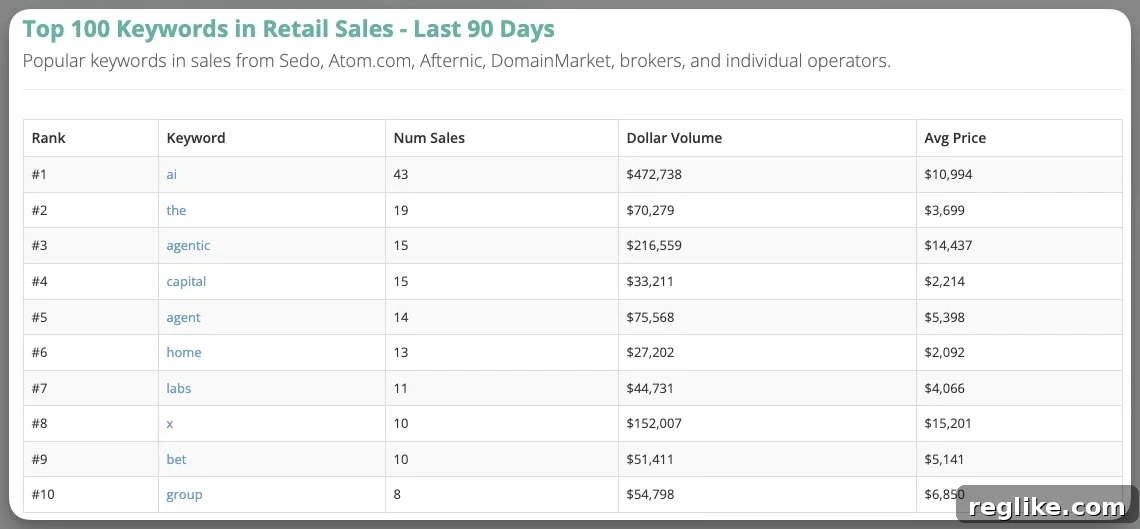
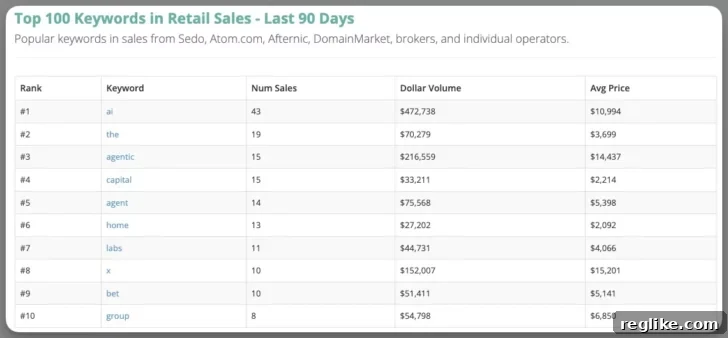
- Top keywords – Paid members can access the top 100 keywords by aftermarket sales rather than just the top ten. Seeing the extended list is useful because it uncovers upward-trending or niche keywords that are gaining value but haven’t made the mainstream lists yet. Monitoring a longer tail of keywords helps identify emerging opportunities before prices rise broadly.
- Export results – The ability to export search results to a spreadsheet is essential for systematic analysis. Exports let you filter, sort, and chart sales over time, compare prices across extensions, isolate only retail transactions, and compute averages or medians for different segments. Exports are also useful for valuing a portfolio or tracking momentum in specific TLDs and keyword categories.
- Bulk search – If you maintain lists of names you own, are considering buying, or are researching for appraisal, the bulk search feature speeds everything up. Rather than entering domains one-by-one, you can submit large batches and quickly see if a name has a sales history and what that history looks like.
- Alerts – Saved-search alerts notify you when new sales match your criteria. This is handy for staying on top of markets that matter to you: get alerts when domains with a target keyword sell, when a price threshold is crossed, or when sales appear in a particular TLD. Alerts keep you informed without constant manual checking.
Beyond the membership features, there is a free, often-overlooked dataset that delivers considerable insight. NameBio publishes a spreadsheet of retail sales statistics for keywords, broken down by keyword placement and other attributes. This dataset is accessible from the site’s resources and does not require technical skills to use; you can download the file and open it in a spreadsheet program.
That spreadsheet is extremely useful for understanding how frequently keywords appear in domain sales and whether they tend to be used as prefixes, suffixes, or standalone terms. For keyword-driven strategies—such as developing exact-match domains, two-word brandable names, or keyword-heavy domains—the placement statistics help prioritize targets that historically attract buyers.
One important caveat: the keyword statistics reflect cumulative data from the full historical record. Some keywords that were highly popular years ago may no longer be in vogue, and new trends can shift ranking relatively quickly. To compensate, combine the historical spreadsheet with recent sales exports and trend filters so you can separate long-term popularity from recent momentum.
In short, NameBio is more than a simple lookup tool. With a free account you get basic visibility; with a paid plan and the downloadable keyword statistics you gain the ability to analyze trends, automate monitoring, and make more informed domain investment decisions. Use exports, bulk searches, and alerts together to create a repeatable research workflow that highlights opportunities and reduces guesswork.