Accounts better with a U2F security key — Secure your

This might be the best form of two-factor authentication.
It’s possible that last year’s presidential election in the U.S. would have been different if John Podesta used better email security. I don’t know for sure, but it ought to serve as a wake-up call to people that security matters.
If that’s not enough to make me serious, there was this warning in my Gmail account late last year:
The primary precaution I take to protect my accounts (counting domain registrar) is to enable two-factor authentication.
Depending on the registrar, I am either sent a one-time password via text message following entering my login credentials or I get a secondary code from the Google Authenticator app.
But there are some problems with these types of secondary factors. Text messages can be intercepted, and a phishing site can also prompt you for your secondary code to quickly log in to your account.
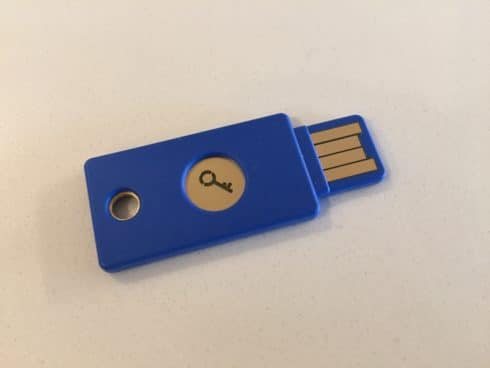
That’s where Security Keys, like the pictured U2F security key from Yubi, come into play. These modest and cheap (I paid $18) hardware devices provide a more secure (and easier) way to provide secondary authentication when logging in to accounts.
Once registered to your account, you can just touch a spot on the key when prompted as a secondary form of authentication. There are no codes to enter and it is more secure than the alternatives.
Of course, if you still keep secondary options available for your accounts (such as SMS texting) then someone can still potentially hack you, but it’s less likely.
Google, DropBox, Github and other services accept U2F keys now. I’m not aware of any registrars that do, but my understanding is the technology is easy to implement.