Domain Availability Search Using GoDaddy API and PHP: Tutorial
Alvin Brown provides a tutorial on using GoDaddy’s API.
Grab a beverage, put your “coding” hat on for the for the journey ahead. Why? Today we’re tackling a simple coding tutorial.
That’s right, we’re coding a bit today as we aim to create a custom domain search feature with a bit of PHP, HTML, and GoDaddy’s Application Programming Interface (API).
Ahead of diving into this tutorial, be sure you have the following:
- A web host environment or localhost environment, preferably Linux hosting
- A GoDaddy Developer account (sign up)
- GoDaddy API Credentials (see here)
- A text editor (Notepad++, Sublime, TextWrangler, Dreamweaver, Notepad)
If you encounter issues setting up or logging into your GoDaddy Developer account, then watch this video.
You’ll also need to become familiar with learning to use PHP curl to execute GoDaddy API calls.
NOTE: This tutorial is a “quick and dirty” approach that uses procedural programming and not object oriented programming (which I highly recommend).
I’m using procedural programming as this tutorial considers someone who does not come from nor have they ever had any experience with software development in general.
Once procuring the aforementioned items, then you’re ready to proceed with the tutorial.
Create Domain Search Form Using HTML and PHP
Open the text editor of your choice, naming and saving the following PHP file: dnsearch.php.
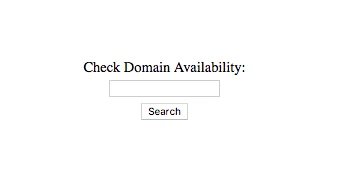
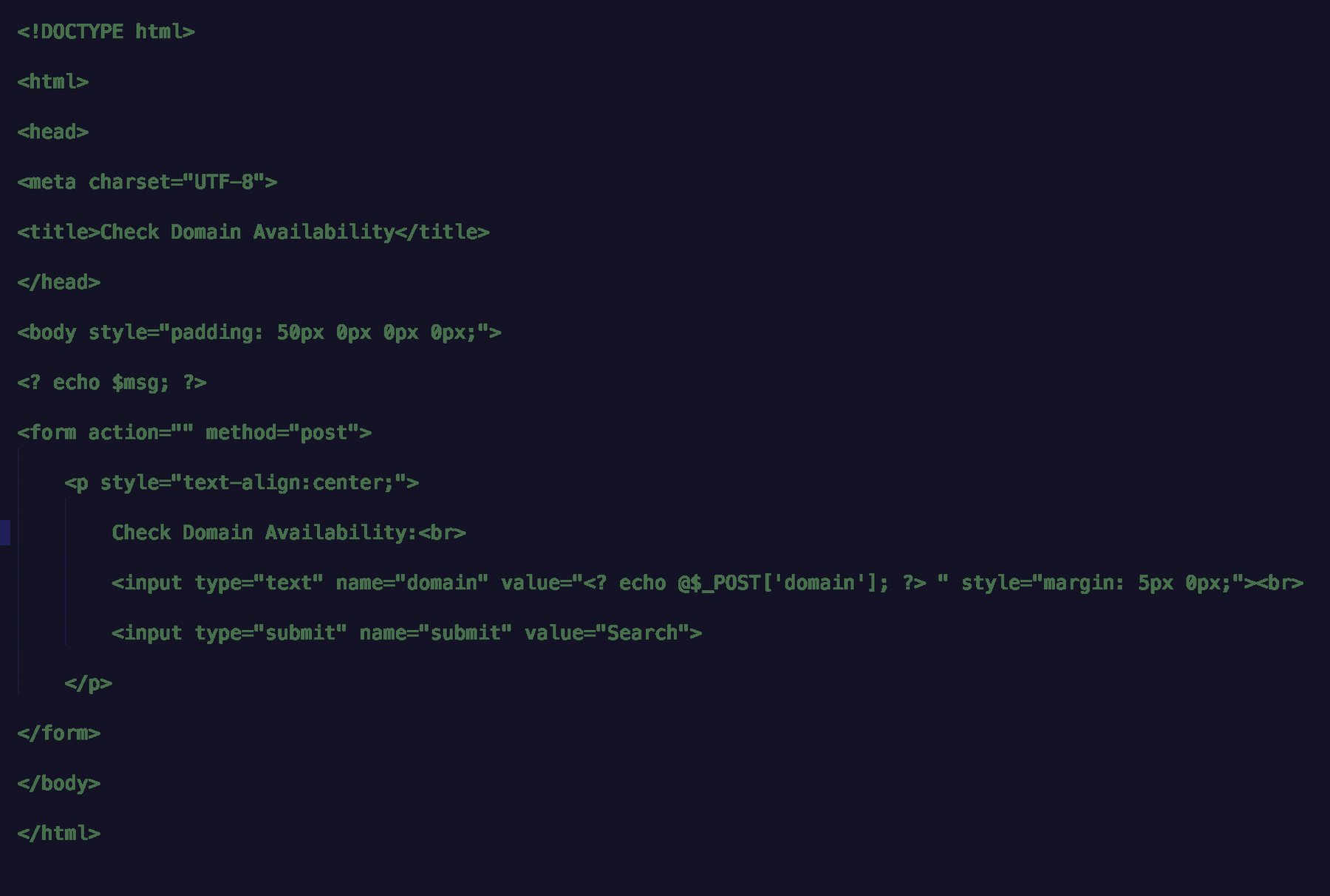
The first thing to do is to create a HTML5 form using a bit of HTML, inline CSS (I know it’s bad), and a bit of PHP.The code below is all the HTML you’ll need to create the domain search form (as shown in the image above).
Within the code, notice the following PHP variables echoed: $msg and $_POST[‘domain’].
The $msg variable is used to display success or failure text when executing a search.
The $_POST[‘domain’] variable is the name of the input field receiving input (the domain name to be searched) from the user when executing a search.
Notice the @ symbol proceeding the $_POST[‘domain’], which suppresses an errors, yet displays the domain name entered into the domain form field by the user upon form submission.
Create Logic to Sanitize and Validate Domain Search Using PHP
NOTE: This tutorial is simply an example and not one I deem using for production-ready environment. This tutorial is only meant to show how you might use the GoDaddy API in conjuction with PHP.
Now that you have the domain search form created, you’re ready to add a bit of logic to search, check, sanitize and validate the domain’s availability using PHP.
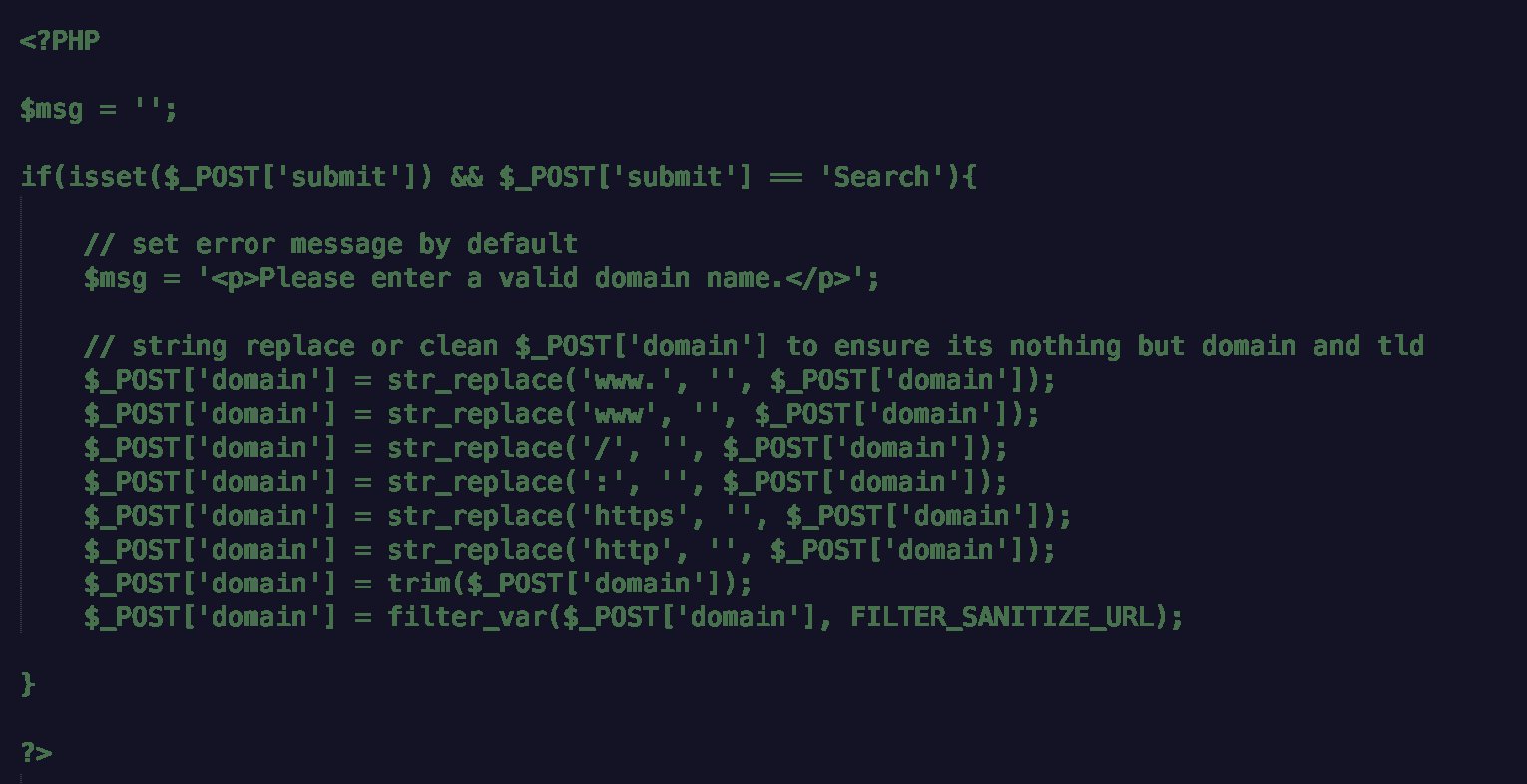
One of the first things to do is define an empty $msg variable. The $msg variable, as mentioned in the previous section, is used to display success or failure text when executing a search.
Once the $msg variable is in place, then we’re ready to establish whether or not the submit button has been pressed and if its value equals “Search” using an if statement.
Within the if statement, assume and define an error message as the default message using the $msg.
Next, create a few string replace and trim functions for the $_POST[‘domain’] form field using PHP’s built-in str_replace and trim methods.
I’ve also include the use of filter_var to sanitize and validate the url (i.e., FILTER_SANITIZE_URL) or domain entered is valid.
As a side note, it’s ALWAYS good to check, sanitize, and validate user input as this reduces, if not eliminates, the risk of SQL injections and cross-scripting attacks. 😉
At this point, the goal is to only use and display the domain and the top-level domain (TLD) (e.g. alvinbrown.com instead of http://www.alvinbrown.com or www.alvinbrown.com).
That’s all for checking, sanitizing, and validating user input. It’s now time to move forward with making GoDaddy API call to check the availability of submitted domain.
Execute Domain Search Logic Using GoDaddy API and PHP
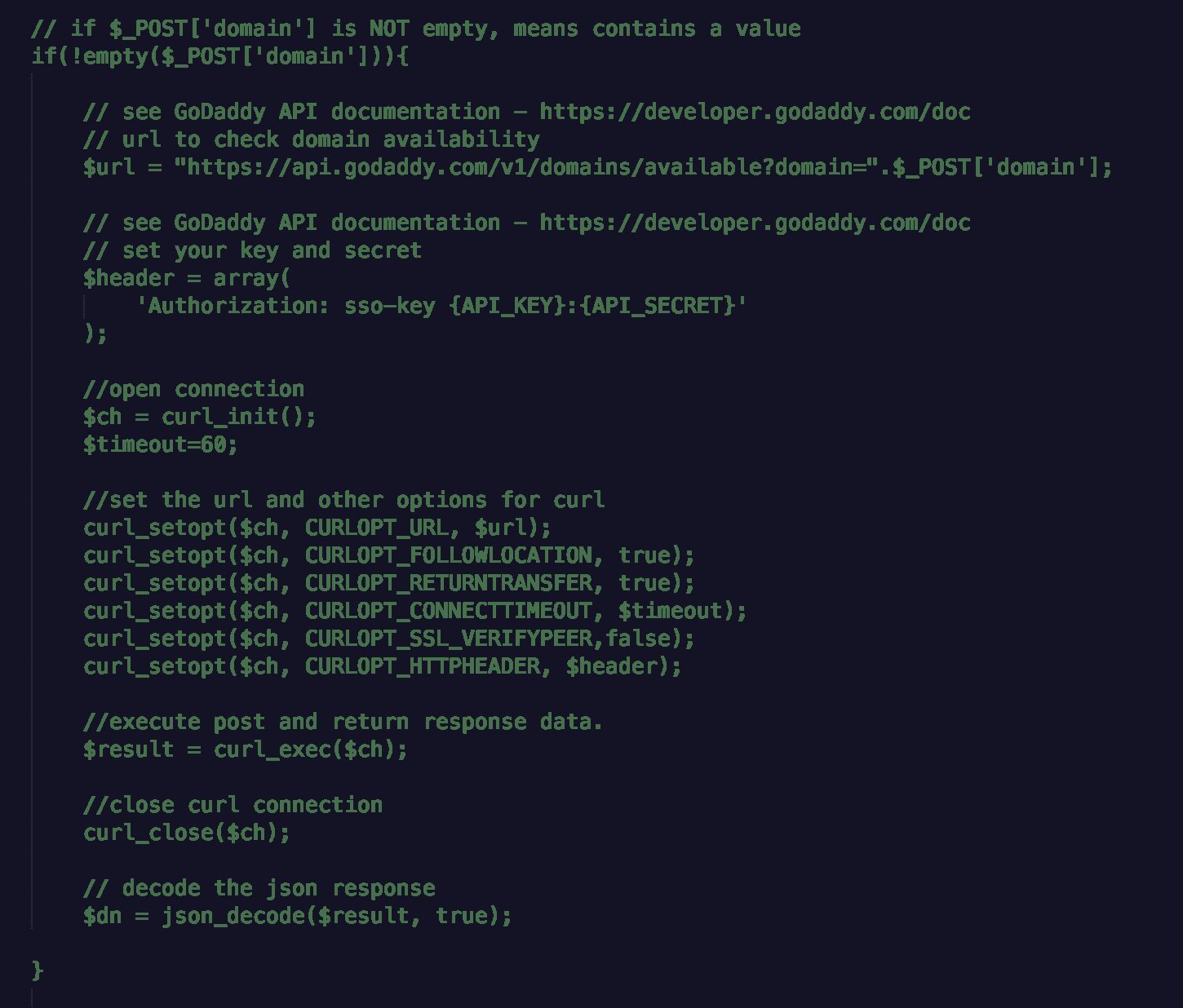
Ahead of executing and making GoDaddy API call using PHP, use an if statement to ensure a domain is still defined following sanitization and validation checking has been successfully performed.
Within the if statement, assume the domain has successfully been sanitized and validated, and is ready to be passed to GoDaddy API.
I won’t cover all the nitty-gritty details of executing a GoDaddy API call using PHP, but feel free to read up ahead of moving ahead in this tutorial by reviewing Getting Started With GoDaddy API Using PHP.
In short, define $url and $header variables, setting each to its respective and expected values. The $url variable expects a full path GoDaddy web url while the $header variable expects the appropriate API credentials (see GoDaddy API documentation for more assistance).
Once both have been defined, then the GoDaddy API call can be executed using PHP’s built-in cURL method.
To capture the response data from the executed GoDaddy API call to check the availability of submitted domain, define a $response variable and set its value equal to PHP’s curl_exec method, closing the cURL call using PHP’s curl_close method.
Following closing the GoDaddy API call, define a $dn variable to decode the JSON response received from the previously executed GoDaddy API.
To decode JSON, use PHP’s json_decode method, passing it the $result variable as the first argument and ‘true’ as the second argument.
GoDaddy API Call Error Checking and Response Display
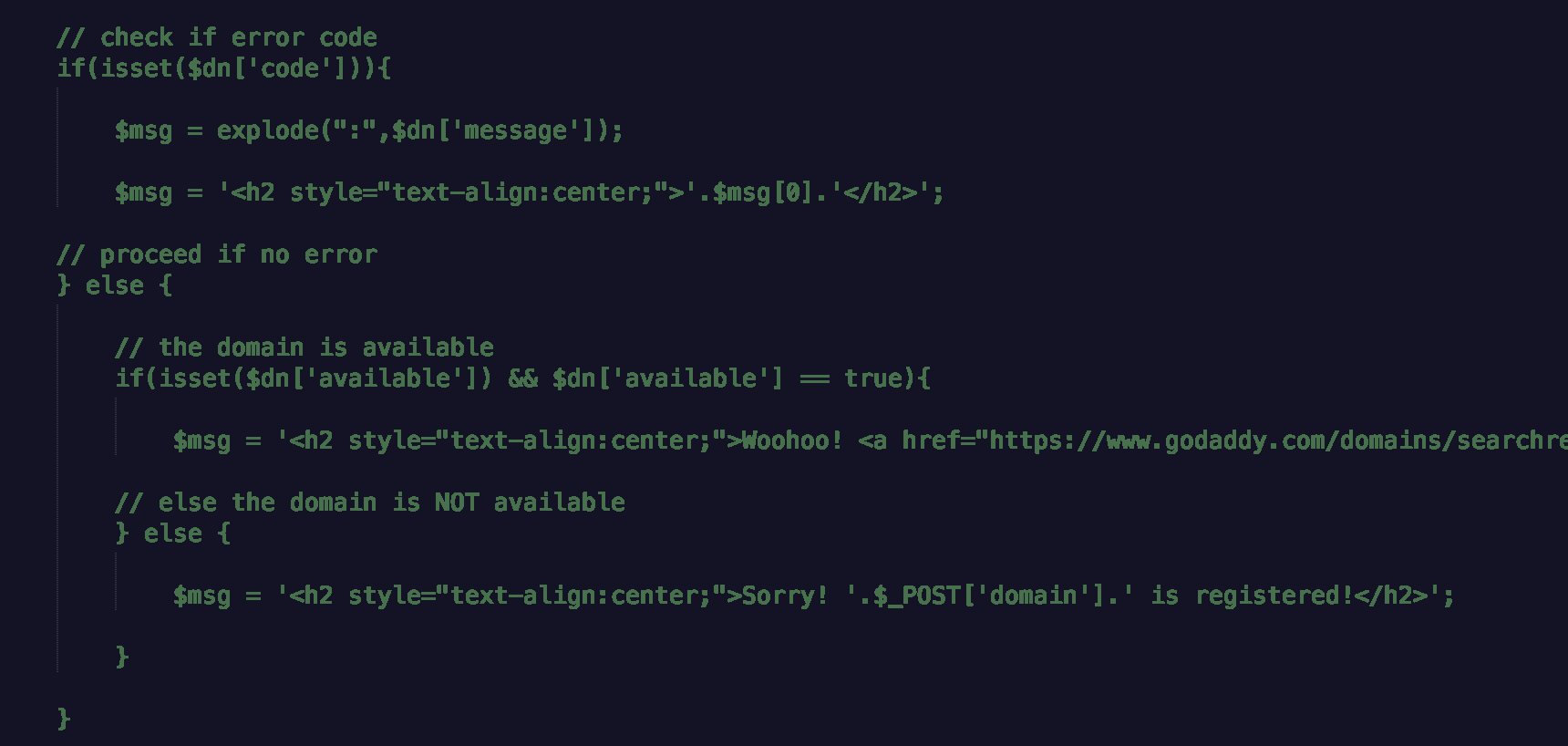
Ahead of displaying the response data to the web browser received from making GoDaddy API call using PHP, apply simple error checking code using an additional if statement.
This if statement will check to see if the $dn variable has ‘code’ set as an object key. Stated another way, has an error code been returned and encountered when making GoDaddy API call?
If $dn[‘code’] DOES exist, meaning there is an error code of some sort return, then prepare to display the error message wrapped in HTML H2 header tags.
Review GoDaddy’s API documentation to determine the respective error codes likely encountered when using the /v1/domains/available API service to check domain availability.
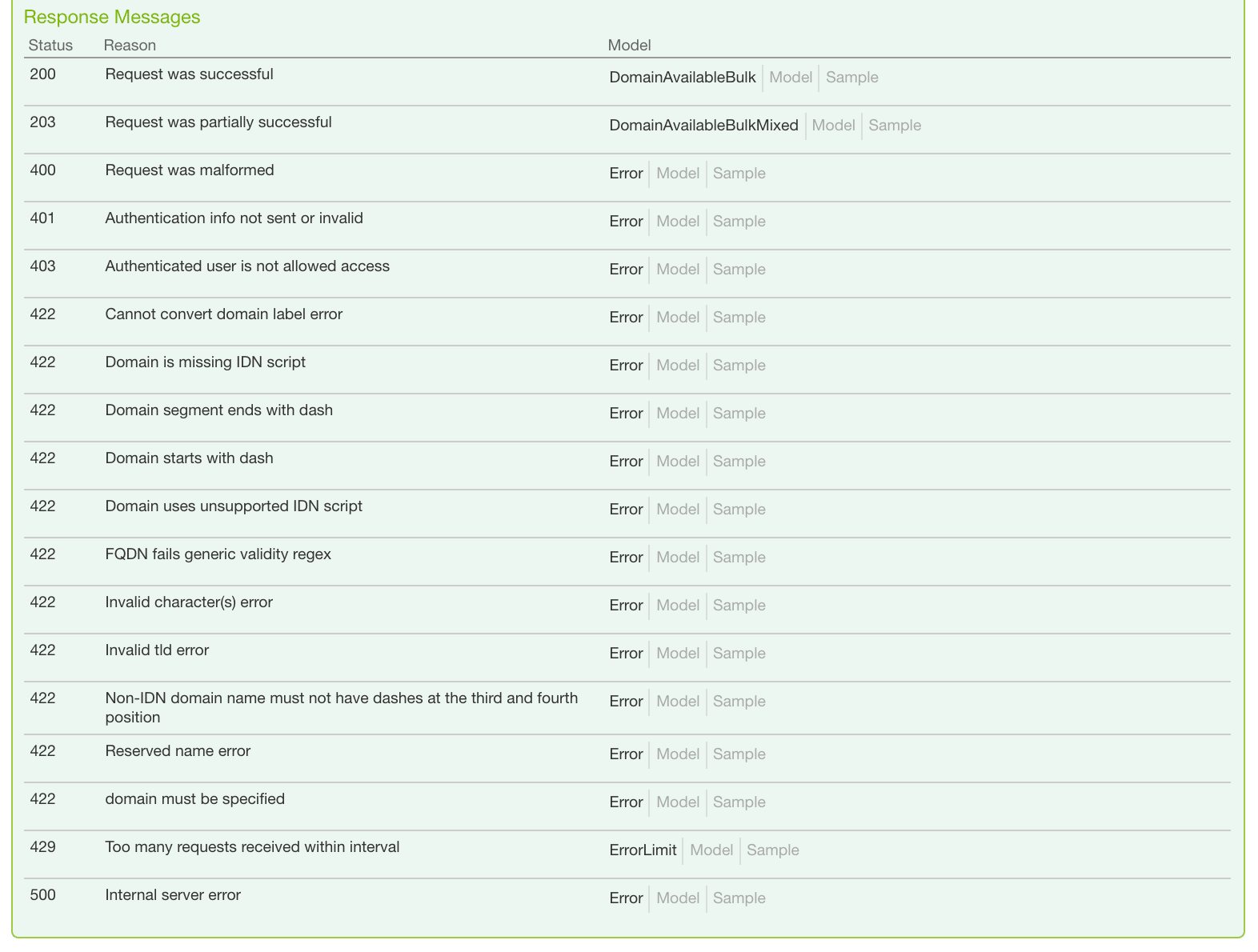
Else if $dn[‘code’] DOES NOT exist, meaning no error code returned, then prepare to execute yet another if statement to check whether the domain returned available or registered.
This if statement checks to verify that $dn[‘available’] exists and its value is equal to ‘true’, meaning that the submitted domain name is available for registration.
Within this if statement and since the domain is available, set the $msg variable to display a congratulatory message along with domain linked to GoDaddy to create a streamline purchase process.
With the else section of the same if statement, set the $msg variable to display a sorry message to indicate the domain is registered and NOT available for registration.
And that’s all there is to checking the availability of a domain making GoDaddy API using PHP!
Time to Bring it Together and Test!
If this is your first coding experience as a domainer, then you’re head is likely spinning at this point in the tutorial. 😀
But the good thing is you’ve endured to the end, and now it’s time to test your pseudo technical prowess. The code in its entirety ought to look like the dnsearch.php file contained in the dnsearch.zip file.
DOWNLOAD dnsearch.zip for GoDaddy API Domain Search Availability
PLEASE DO NOT FORGET TO ADD YOUR GODADDY API CREDENTIALS OR THIS TUTORIAL WILL NOT WORK!
Download, extract and save the dnsearch.php file to an accessible web directory. Open dnsearch.php via a web browser (just like how you would visit a web page).
Once file is opened and executed via a web browser, attempt to search for both a domain you know to be available and a domain you know to be registered.
The available domain ought to display a message similar to the following when submitted: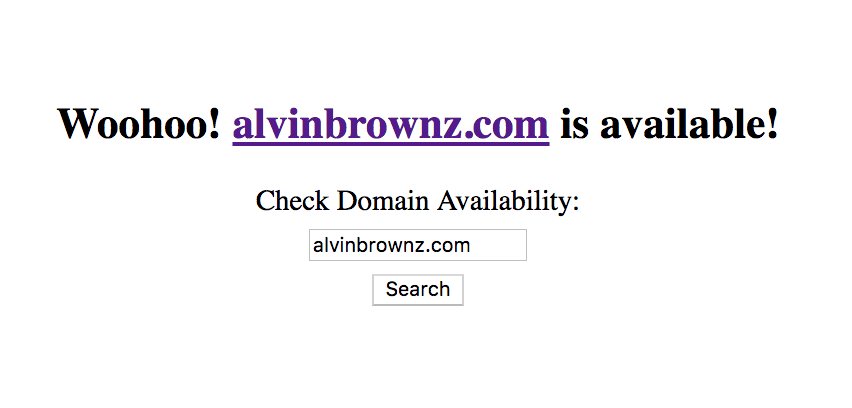 The registered domain ought to display a message similar to the following when submitted: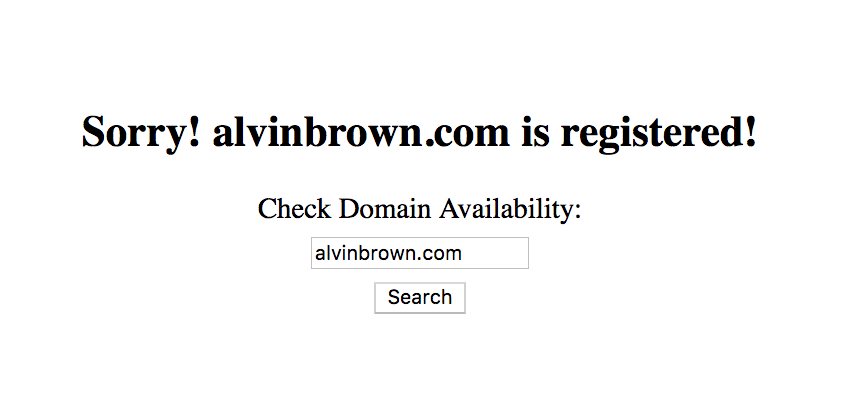
Closing Thoughts
Congrats! You now have your very own domain availability search feature. This is the first of many GoDaddy API tutorials to come.
My hope is that each tutorial teaches you to become more effective and efficient in various aspects (i.e., development, integration, automation) of your domain investing experience.
Although simple in nature, the principles of this tutorial will and can unlock the door to solving tomorrow’s more complex technical challenges pertaining to domain investing.
For instance, I could see someone taking this code and automating it to periodically check a list of expiring domain auctions not won (hint, hint). 😉
Whether you’re technically-challenged or not, but I encourage you to take the dive in learning a fresh skill.
In closing, please do not hesitate to leave me questions, comments, or propose ideas for future tutorials using GoDaddy’s API.
Thanks and that’s all for now!